Your keyboard.
Your iPhone.
Stay with the work in front of you.
Open a browser. Send your words to your phone.
For iPhone and iPad. Both devices must use the same Wi-Fi.
Your message will appear here after you send it.
 Web Access
Interactive illustration · Does not connect to your device
Just open a browser. Mac / Windows / Linux No desktop app needed Connect over the same Wi-Fi
The notes are ready.
Sending them over now.
The notes are ready. Sending them over now.
Type, send, and your words appear in the active text field.
More to write?
Use the keyboard you know.
Reply to a message, take notes, or write a longer paragraph. Stay at your computer, compose with your usual keyboard and input method, then send it to your iPhone or iPad.
No extra software on your computer.
Switch to AirType on your phone, then open the keyboard’s address on your computer. On Mac, Windows, or Linux, a compatible browser is all you need.
A few quick edits?
Make them on your phone.
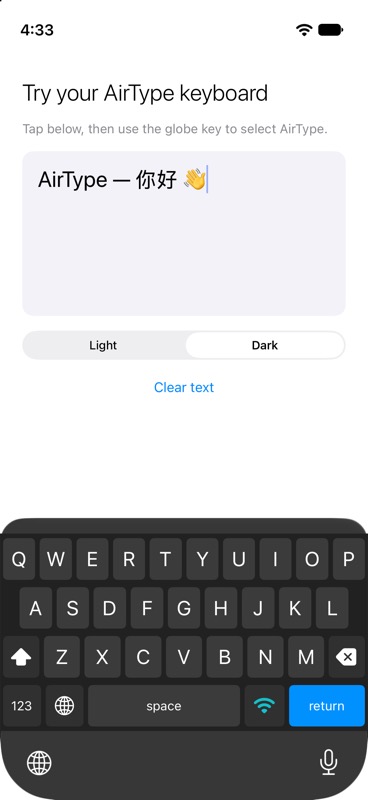
AirType also includes a QWERTY keyboard. Switch back to local typing for a quick edit, or keep writing when you step away from your computer.
Web Access connects only while the keyboard is visible. Keep both devices on the same Wi-Fi and use a network you trust.
Set up your phone.
Connect your computer.
- 01
Download and add the keyboard
Install AirType, add it in your system keyboard settings, and enable Allow Full Access for networking.
- 02
Open Web Access
Connect both devices to the same Wi-Fi. Open a text field and switch to AirType to see its connection address.
- 03
Start typing on your computer
Open the keyboard’s address in your browser and follow the pairing instructions. Type your text, then press Enter to send.
One desk.
Your own rhythm.
AirType connects your computer keyboard to your iPhone.